


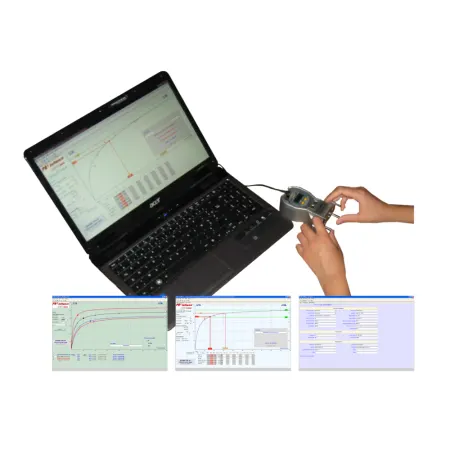
Peening Saturation Curve Software PA
Create, compare, and analyze saturation curves with ease. SAE J2597 compliant and compatible with Almen gages for precise intensity evaluation.
Data-Driven Shot Peening with Fast, Compliant Saturation Curves
PA simplifies the creation, analysis, and comparison of Almen saturation curves so you can set peening parameters quickly and with confidence. Display multiple curves, import or type data in any order, and let the software calculate the knee and saturation point in accordance with industry practice-helping you lock in repeatable intensity and audit-ready documentation.
Technical Data:
- Standards: Complies with SAE J2597 for computer-generated shot peening saturation curves
- Multi-curve view: Display up to 6 Almen curves on a single chart
- Multiple locations: Compare curves from several strip holders on the same component
- Data entry: Enter arc heights in any order; sort afterward to clean and validate data
- USB input: Versatile arc-height input with a USB connection to your Almen gage
- Pre-bow: Direct input and automatic integration of strip pre-bow
- Prediction: Calculate and display arc height for any exposure value
- Error handling: Automatic messages highlight inconsistencies or outliers
- Languages: English, German, French
- Delivery: Download version; second license available
Frequently Asked Questions
What does PA do?
PA builds and analyzes Almen saturation curves from your arc-height measurements, helping you determine saturation and select process parameters faster and more reliably.
How does it help with audits?
The software follows SAE J2597 practices for computer-generated curves and produces clear, consistent documentation to support Nadcap or customer audits.
Can I compare different parameter sets?
Yes. You can overlay up to six curves to compare media size, coverage goals, nozzle setups, or other parameter changes on one chart.
How is data entered?
Type values manually or feed measurements via USB from an Almen gage. You can input readings in any order and sort them afterward.
What about strip pre-bow?
PA lets you enter pre-bow directly and integrates it into the calculation so your curves reflect true arc-height response.
